
Arkida
Arkida turns ordinary screenshots into polished product visuals through local processing.
FreemiumImage Generation
Visit website Free to browse · updated 2026-06-16
What is Arkida?
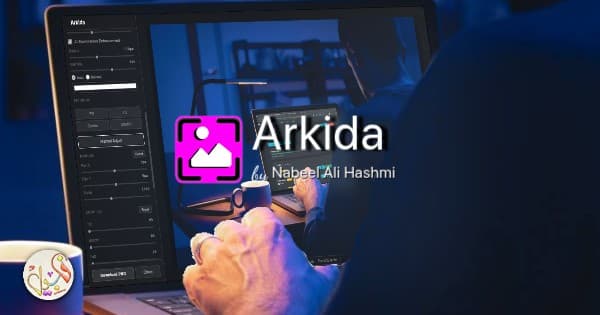
Arkida provides a suite of editing capabilities focused on enhancing images for professional contexts. It supports warping screenshots onto angled surfaces, integrating them behind scene elements, and applying AI-driven glare and glow effects. Additional options include vector-based device frames, filter stacks for stylistic variations, and direct sourcing of royalty-free backgrounds. The tool emphasizes precision with manual controls for cropping, positioning, and layering shadows or blurs. Custom frames can be created using chroma key removal and eraser tools, allowing reuse across projects. All operations occur locally to preserve privacy and support batch exports in multiple formats. It caters to creators needing efficient workflows for app stores, client deliverables, and portfolios. Integration with stock photo libraries streamlines scene selection while maintaining high-resolution output quality.
Key features
Perspective warp with 3D X/Y axis rotation and 4-point homography mapping
Built-in library of vector SVG device frames for phones, tablets, laptops and browsers
Scene occlusion allowing screenshots to render behind real-world objects
AI surface glare and environment glow lighting effects
Stackable non-destructive artistic filters
Integrated royalty-free scene search from Unsplash, Pexels and Pixabay
Chroma-key custom frame creator with AI screen detection and manual eraser
What you can use Arkida for
App Store Screenshots
Transform basic screenshots into polished visuals suitable for App Store and Play Store listings using device frames and perspective tools.
SaaS Presentations
Build professional website and SaaS product presentations with realistic mockups featuring AI lighting and scene elements.
E-commerce Listings
Create high-converting product visuals for e-commerce by applying scene occlusion and custom frames to product images.
How to use Arkida
- 1Install the Arkida extension in a Chromium browser
- 2Capture or load a screenshot or image into the tool
- 3Select a device frame and adjust perspective warp
- 4Apply AI lighting, occlusion, or filters as needed
- 5Export the finished visuals in batch
Arkida pricing
Pricing model: Freemium. Plan details are indicative — check the site for current prices.
Free
Free
- Add to browser
- Core editing tools
Plus
PopularCustom
- Batch export to ZIP
- All premium features
Editor's verdict
Pros
- +All processing runs locally with no account or data upload required
- +Batch high-resolution export in PNG, JPG and WebP formats
- +Free core functionality with optional paid upgrade
Cons
- –Available only as a Chromium-based browser extension
- –Batch ZIP export and some advanced features require paid Plus plan
Our take: Arkida is a solid image generation choice. It's valued for all processing runs locally with no account or data upload required and batch high-resolution export in png, jpg and webp formats. The main trade-off is available only as a chromium-based browser extension. A good pick if you want capable AI without a high upfront cost.
Frequently asked questions
Arkida works as an extension in Chromium-based browsers.
Summary
Arkida is a solid image generation choice. It's valued for all processing runs locally with no account or data upload required and batch high-resolution export in png, jpg and webp formats. The main trade-off is available only as a chromium-based browser extension. A good pick if you want capable AI without a high upfront cost.
Did you find this helpful?
User reviews
Verified reviews from the community shape this tool's rating.
Loading reviews…
Arkida alternatives
Similar image generation tools worth comparing.


