
ContextOS
VerifiedOrganize and reuse project details across AI chat platforms without repeated pasting.
What is ContextOS?
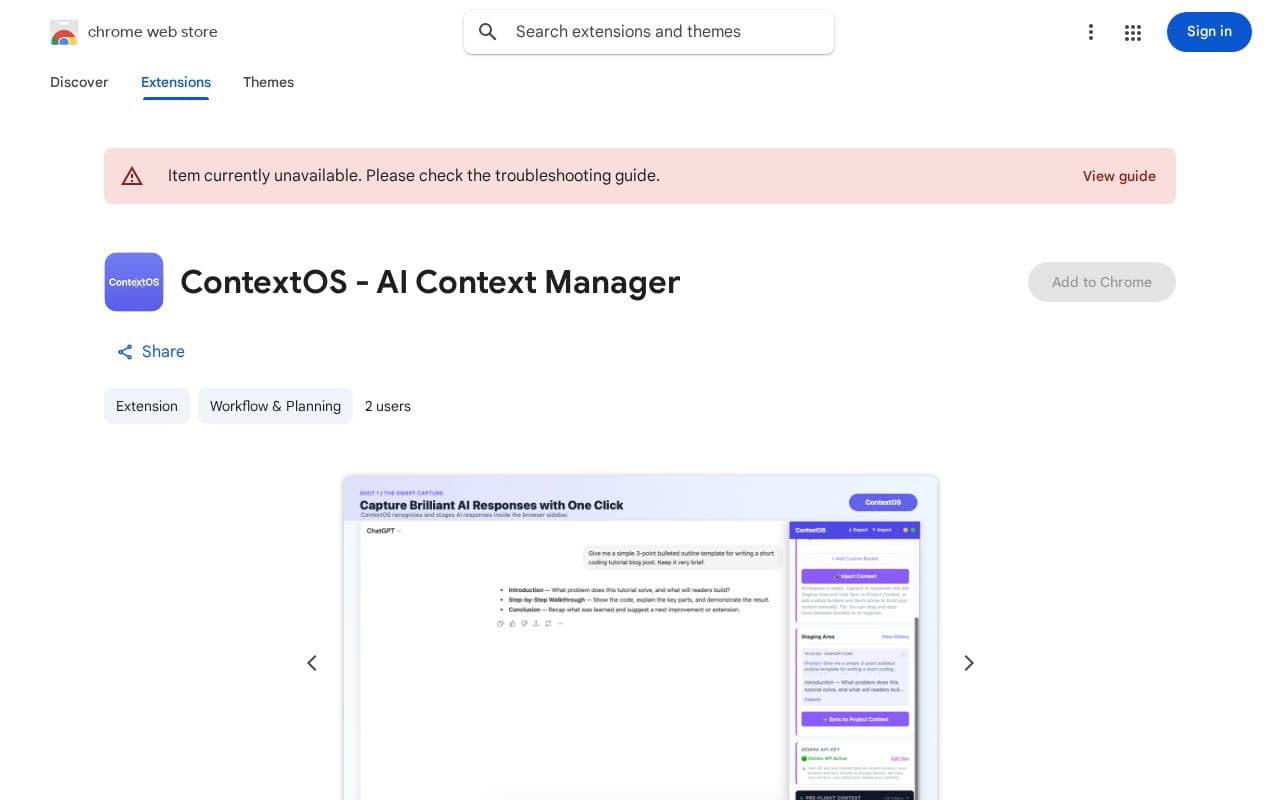
This extension helps users maintain consistent project information when switching between different AI models. It captures responses automatically or through selections and organizes them into customizable categories for future use. The system assists with formatting new entries using an integrated AI model that requires a user-provided API key. Workspaces can be created and switched easily, allowing separate sets of rules and parameters for various initiatives. Content from chats gets parsed and filed into relevant buckets, with options to export or import the full structure as needed. Injection happens directly into chat inputs on the active platform, optionally combined with additional instructions. All operations stay confined to the browser environment with no external data transmission. This approach supports compliance with browser extension standards and prioritizes user control over sensitive project materials.
Key features
AI models ContextOS uses
What you can use ContextOS for
Cross-Platform Context Sync
Manage and inject structured project rules, tech stacks, and schemas into ChatGPT, Claude, Grok, Gemini, and Perplexity without repeated copy-pasting.
Local Workspace Organization
Group system instructions, project descriptions, and custom data rules into isolated workspaces organized by project for developers and power users.
Automated Response Capture
Use smart auto-sync to capture AI responses and targeted selections directly into a staging area for parsing and bucketing.
How to use ContextOS
- 1Open any supported AI chat interface
- 2Launch the ContextOS sidebar panel
- 3Add your Gemini API key or skip for now
- 4Create a new isolated project workspace
- 5Add custom context buckets and core instructions
- 6Capture chat turns or selections for auto-sync
ContextOS pricing
Pricing model: Free. Plan details are indicative — check the site for current prices.
Free
- Universal Cross-Platform Support
- Smart AI Auto-Sync
- AI-Assisted Context Creation
- Bring Your Own Key (BYOK)
- Smart Workspace Organization
- Instant Parameter Injection
- Seamless JSON Import & Export
- 100% Local Processing
Editor's verdict
Pros
- +Privacy-first design with fully local, client-side operation
- +Seamless cross-AI platform context syncing and injection
Cons
- –Requires personal Gemini API key for AI-assisted features
- –Free-tier API keys subject to 15 requests per minute rate limit
Our take: ContextOS is a solid productivity choice. It's valued for privacy-first design with fully local, client-side operation and seamless cross-ai platform context syncing and injection. The main trade-off is requires personal gemini api key for ai-assisted features. A good pick if you want capable AI without a high upfront cost.
Frequently asked questions
It works seamlessly across ChatGPT, Claude, Grok, Gemini, and Perplexity.
Summary
ContextOS is a solid productivity choice. It's valued for privacy-first design with fully local, client-side operation and seamless cross-ai platform context syncing and injection. The main trade-off is requires personal gemini api key for ai-assisted features. A good pick if you want capable AI without a high upfront cost.
User reviews
Verified reviews from the community shape this tool's rating.
Loading reviews…
ContextOS alternatives
Similar productivity tools worth comparing.

