
dotdotduck
Verifieddotdotduck delivers an integrated SDK for command palettes and AI agents.
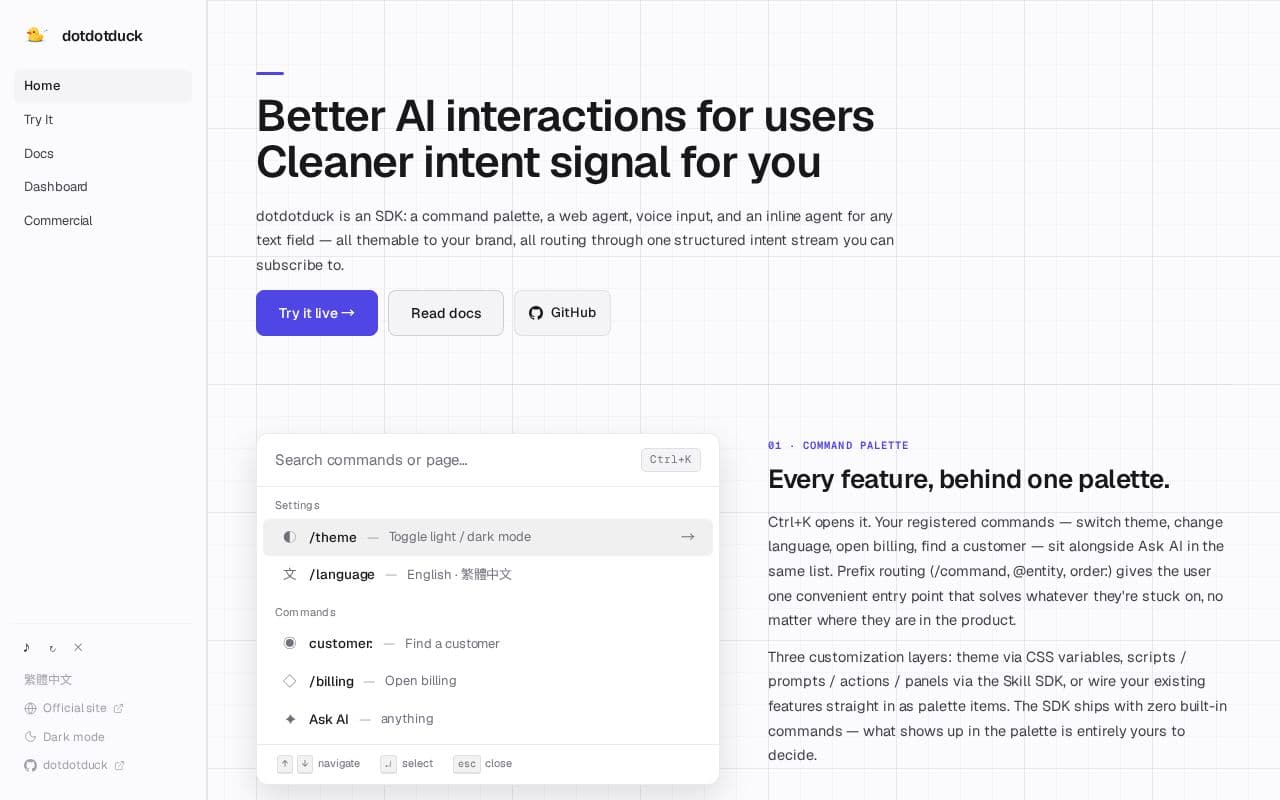
What is dotdotduck?
The command palette acts as a central access point where custom commands sit alongside AI queries, using prefixes for efficient routing. The web agent performs page operations step by step, handling actions like clicks and navigation while narrating progress and seeking clarification when needed. Voice entry supports direct transcription into fields or agent queries, complemented by dwell gestures and screenshot captures for contextual input. Inline tools allow text transformations on selections without disrupting workflow. Proactive prompts respond to page signals such as dwell time or scrolls, while every interaction generates typed events in the intent stream for precise behavioral insights.
Key features
What you can use dotdotduck for
Unified Command Access
Open a single Ctrl+K palette to run custom commands, switch themes, or query Ask AI without navigating menus.
In-Page Task Automation
Trigger WebAgent to execute multi-step DOM actions such as navigation, clicks, and form fills directly in the current tab.
Contextual Text Editing
Highlight text inside any input or contenteditable field to invoke inline AI actions like rewrite, translate, or summarize.
How to use dotdotduck
- 1Add the dotdotduck SDK script to your web application
- 2Register custom commands and Skill definitions
- 3Configure an AI provider such as OpenAI or Google AI Studio
- 4Enable voice input and WebAgent features as needed
- 5Subscribe to the intent stream to handle emitted events
dotdotduck pricing
Pricing model: Paid. Plan details are indicative — check the site for current prices.
Commercial
- SDK access
- Intent stream
- WebAgent
- Inline AI
Editor's verdict
Pros
- +Fully customizable via CSS, Skill SDK, or direct wiring
- +Clean structured intent signals for behavioral data
- +Supports multiple LLM providers including proxies
Cons
- –SDK ships with zero built-in commands
- –Production requires swapping in external ASR service
- –Demo relies on browser Web Speech API with no SLA
Our take: dotdotduck is a solid productivity choice. It's valued for fully customizable via css, skill sdk, or direct wiring and clean structured intent signals for behavioral data. The main trade-off is sdk ships with zero built-in commands. Best when you need reliable, professional output.
Frequently asked questions
An SDK that bundles a command palette, WebAgent, voice input, and inline AI toolbar, all routing through one structured intent stream.
Summary
dotdotduck is a solid productivity choice. It's valued for fully customizable via css, skill sdk, or direct wiring and clean structured intent signals for behavioral data. The main trade-off is sdk ships with zero built-in commands. Best when you need reliable, professional output.
User reviews
Verified reviews from the community shape this tool's rating.
Loading reviews…
dotdotduck alternatives
Similar productivity tools worth comparing.

