
What is GamerForge?
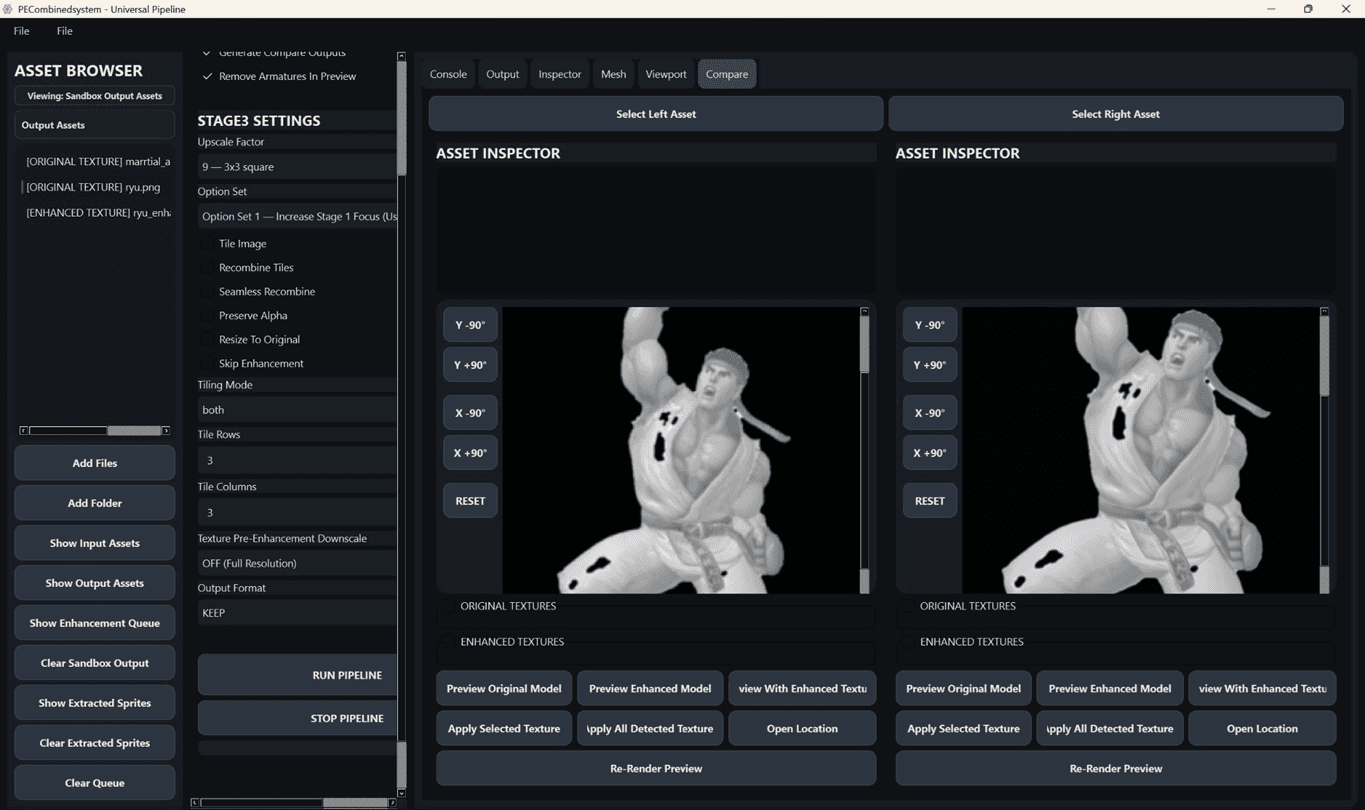
GamerForge enables teams working on games, visual effects, and animation to update legacy content and prepare new assets for modern engines. The system handles a range of inputs from sprite sheets to 3D models, applying automated processes for quality improvement and organization. Key capabilities include upscaling textures, generating material maps such as normals and roughness, extracting sprites, and converting assets between formats. These functions reduce manual tasks while supporting batch operations and integration with common production software. The platform offers flexible deployment options suited to individual users through larger studio environments, focusing on ethical AI development for creative industries.
Key features
What you can use GamerForge for
Legacy Asset Enhancement
GamerForge automates upscaling, sharpening, and restoration of old textures, sprites, and production assets to improve visual fidelity without manual rebuilding.
Material Map Creation
Generate normal, roughness, metallic, and AO maps from source 2D assets to prepare content for modern 3D pipelines.
Sprite and 2D Asset Automation
Automatically isolate sprites from texture atlases and handle batch processing of UI elements, concept art, and legacy game textures.
How to use GamerForge
- 1Import files, folders, sprite sheets and 3D assets
- 2Automatically detect sprites, textures and asset groups
- 3Apply AI upscaling, restoration and reconstruction
- 4Run batch operations for large-scale libraries
- 5Export organized production-ready outputs
GamerForge pricing
Pricing model: Paid. Plan details are indicative — check the site for current prices.
Single User
- Single workstation license
- Included Performance Toolkit
- Download Windows
Small Studio
Popular- 5 seats included
- Five workstation license
- Included Performance Toolkit
- Download Windows
Department Bundle
- Full department license
- Included Studio Toolkit + Analytics Suite
- Download Windows
Enterprise
- Full enterprise license
- Included All GamingForge Modules
- Download Windows
Editor's verdict
Pros
- +Reduces production time
- +Improves visual fidelity
- +Automates asset workflows
Cons
- –Windows-only downloads
- –No cloud or web platform
- –Local installation required
Our take: GamerForge is a solid image generation choice. It's valued for reduces production time and improves visual fidelity. The main trade-off is windows-only downloads. Best when you need reliable, professional output.
Frequently asked questions
Supported image formats include PNG, JPG, TGA, BMP, DDS, EXR, and TIFF.
Summary
GamerForge is a solid image generation choice. It's valued for reduces production time and improves visual fidelity. The main trade-off is windows-only downloads. Best when you need reliable, professional output.
User reviews
Verified reviews from the community shape this tool's rating.
Loading reviews…
GamerForge alternatives
Similar image generation tools worth comparing.


Explore & compare GamerForge
Data-driven comparisons, alternatives and rankings — kept current by our agents.
Featured in