Kepler
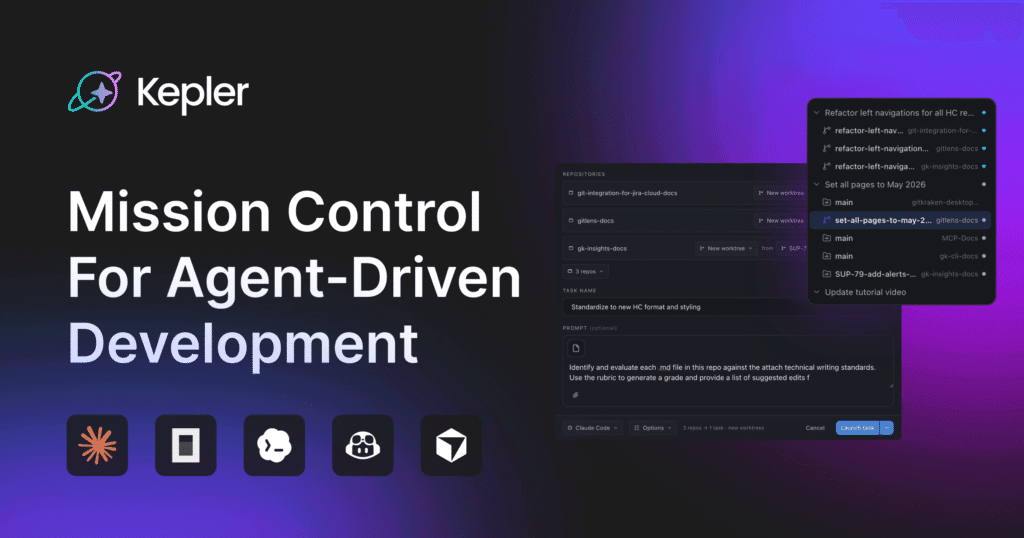
Kepler offers a centralized platform for orchestrating multiple AI coding agents across projects.
What is Kepler?
Developers can initiate tasks by selecting issues or pull requests, after which Kepler sets up agent sessions and tracks progress through a Kanban-style board. This board organizes sessions into stages such as exploration, development, review, and completion, with filters available to focus on items needing attention. The interface displays code changes from each agent session alongside task details, enabling direct review of diffs, staging of files, and committing without switching tools. A built-in console provides real-time visibility into agent output and supports sending follow-up instructions via text, images, or voice. Kepler integrates with various existing agent tools and workflows rather than requiring migration to a new ecosystem. It supports parallel operation across multiple repositories while preserving connections to familiar Git providers and issue management systems.
Key features
What you can use Kepler for
Launch Agents from Existing Issues and PRs
Select issues or pull requests in connected trackers to instantly start agents on tasks without manual context setup, enabling direct handoff from backlog to code execution.
Run Parallel Agents Across Multiple Repositories
Execute agents simultaneously on related work spanning several repos, such as migrations or API updates, while maintaining shared task context in one interface.
Review and Commit Agent Changes in Place
Examine diffs from agent sessions alongside tasks, stage files, and commit directly without switching tools, using the integrated console for real-time adjustments.
How to use Kepler
- 1Download Kepler ADE from the GitKraken site
- 2Connect your Git providers and issue trackers
- 3Select issues, PRs, or backlog items to launch agents
- 4Monitor tasks in the Kanban view from Exploration to Done
- 5Review diffs in context and commit changes directly
Kepler pricing
Pricing model: Free. Plan details are indicative — check the site for current prices.
Free
- Limited preview access
- Download for Windows, Mac, Linux
- Run parallel agents
- Kanban view
- Agent console
- Git and issue tracker integration
Editor's verdict
Pros
- +Unified surface for managing agents without switching tools
- +Starts from existing workflows and backlog
- +Free during limited preview period
Cons
- –Desktop-only availability
- –Requires pre-existing agent CLI setups
Our take: Kepler is a solid coding & dev choice. It's valued for unified surface for managing agents without switching tools and starts from existing workflows and backlog. The main trade-off is desktop-only availability. A good pick if you want capable AI without a high upfront cost.
Frequently asked questions
Kepler is GitKraken’s agentic development environment that allows running, tracking, and reviewing parallel AI coding agents across repositories from a unified interface.
Summary
Kepler is a solid coding & dev choice. It's valued for unified surface for managing agents without switching tools and starts from existing workflows and backlog. The main trade-off is desktop-only availability. A good pick if you want capable AI without a high upfront cost.
User reviews
Verified reviews from the community shape this tool's rating.
Loading reviews…
Kepler alternatives
Similar coding & dev tools worth comparing.