
Meeting Notes Synthesizer
VerifiedAn Obsidian plugin that builds ongoing memory from scattered meeting notes.
What is Meeting Notes Synthesizer?
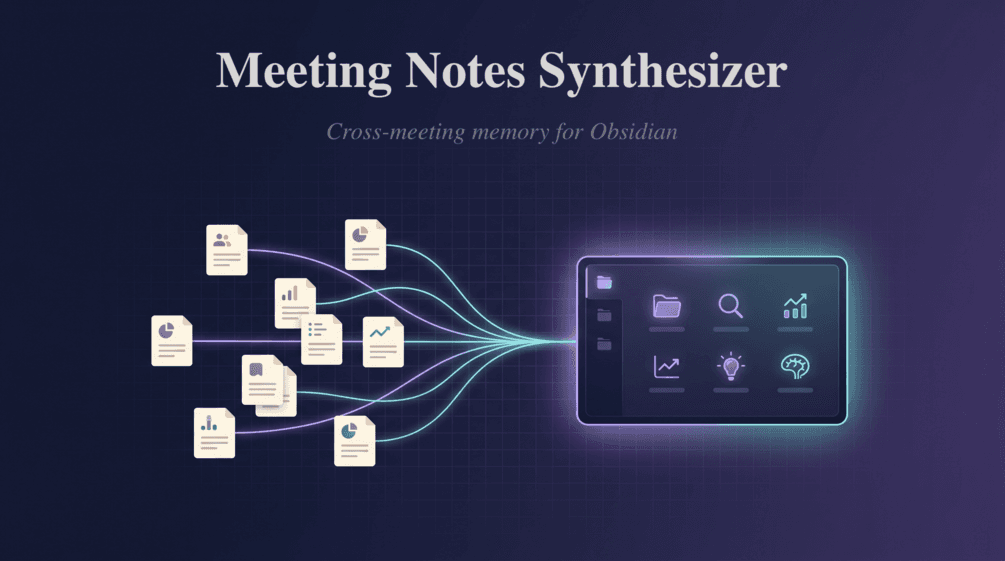
Meeting Notes Synthesizer processes an entire folder of notes to create a persistent record of outcomes rather than isolated summaries. It identifies dated decisions with source links, monitors how those decisions shift over repeated discussions, and compiles weekly overviews of recent activity. Outstanding tasks are grouped by assignee along with their deadlines, allowing users to see responsibilities at a glance. All processing occurs on the local device using any compatible API endpoint from providers such as Anthropic or OpenAI, ensuring notes and credentials remain under user control. A free tier permits three synchronizations each month while the one-time Pro purchase removes that limit. The plugin requires a desktop installation of Obsidian and functions on Windows, macOS, and Linux after offline license activation.
Key features
What you can use Meeting Notes Synthesizer for
Track Decision History
Capture every decision from meeting notes with dates and direct links back to the original sources inside Obsidian.
Manage Open Actions
Group outstanding action items by owner, include due dates, and keep them updated across multiple meetings.
Generate Weekly Rollups
Produce at-a-glance summaries of decisions and actions from the current week while tracking how earlier decisions evolve.
How to use Meeting Notes Synthesizer
- 1Install the Meeting Notes Synthesizer plugin in Obsidian
- 2Paste your license key in plugin settings for unlimited syncs
- 3Add your LLM provider API key in the settings panel
- 4Select the folder containing your meeting notes
- 5Run the synthesis command to build cross-meeting memory notes
Meeting Notes Synthesizer pricing
Pricing model: Freemium. Plan details are indicative — check the site for current prices.
Free
- up to 3 syncs per month
- all features included
Pro
Popular- unlimited syncs
- Decision history
- Open actions by person
- Weekly rollup
- Decision evolution
Editor's verdict
Pros
- +One-time Pro purchase for unlimited syncs
- +Privacy-focused local execution
- +Comprehensive multi-meeting insights beyond single-note summaries
Cons
- –Requires separate LLM provider API key
- –Obsidian desktop only
- –Free tier limited to 3 syncs per month
Our take: Meeting Notes Synthesizer is a solid productivity choice. It's valued for one-time pro purchase for unlimited syncs and privacy-focused local execution. The main trade-off is requires separate llm provider api key. A good pick if you want capable AI without a high upfront cost.
Frequently asked questions
The Pro license is a one-time purchase that unlocks unlimited syncs.
Summary
Meeting Notes Synthesizer is a solid productivity choice. It's valued for one-time pro purchase for unlimited syncs and privacy-focused local execution. The main trade-off is requires separate llm provider api key. A good pick if you want capable AI without a high upfront cost.
User reviews
Verified reviews from the community shape this tool's rating.
Loading reviews…
Meeting Notes Synthesizer alternatives
Similar productivity tools worth comparing.

