PicoAI Story Studio
PicoAI Story Studio turns simple concepts into polished short films using integrated AI tools.
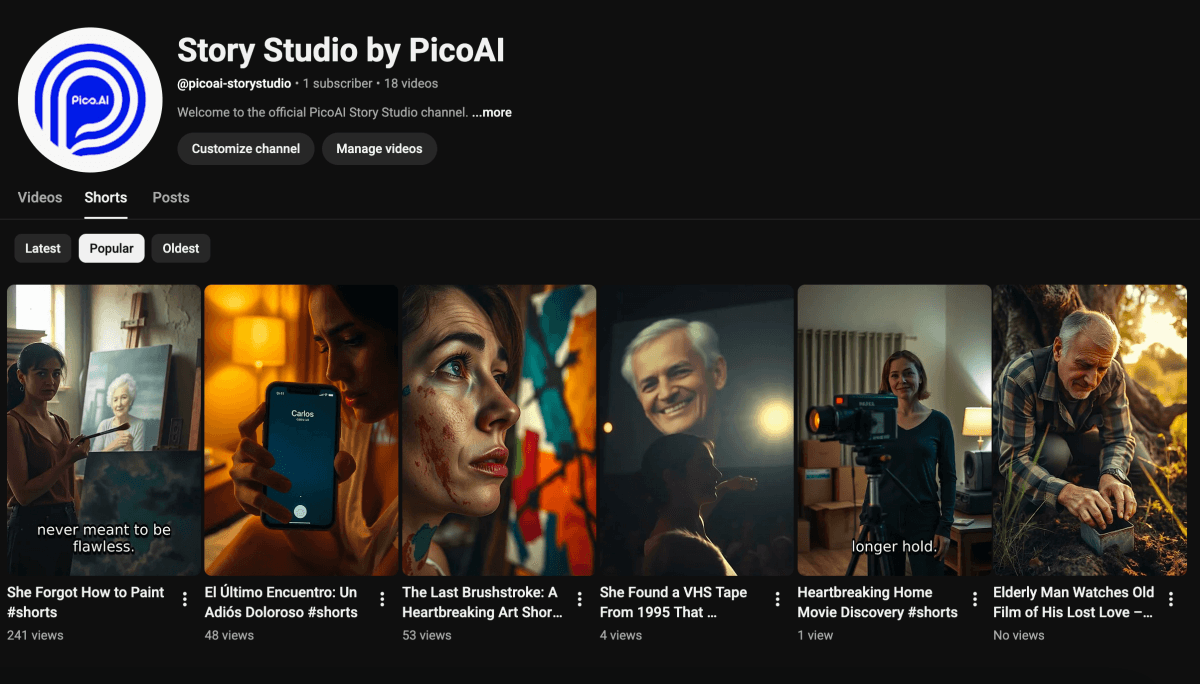
What is PicoAI Story Studio?
PicoAI Story Studio provides an all-in-one workspace for generating complete short films without requiring prior editing experience or multiple external applications. It supports input of basic ideas that expand into structured narratives across supported genres, followed by consistent visual assets and audio layers. The system includes options for voice selection in multiple languages, original soundtrack creation with various moods, and a flexible editor for refining scene order and effects. Projects remain organized in a central dashboard for easy switching and progress tracking. Final outputs feature subtitles, cinematic adjustments, and direct publishing capabilities, streamlining the path from initial concept to a ready-to-share movie.
Key features
AI models PicoAI Story Studio uses
What you can use PicoAI Story Studio for
Short Film Production
Transform a single concept into a complete short film with script, AI-generated scenes, voiceover, music, and timeline editing all within one workspace.
YouTube Video Creation
Produce and publish finished movies directly to YouTube, including subtitles and cinematic effects, without switching between external tools.
Multi-Genre Story Development
Develop stories across supported genres such as sci-fi, horror, drama, comedy, romance, and action with consistent characters and structured scripts.
How to use PicoAI Story Studio
- 1Sign up at the site
- 2Write your concept and select genre
- 3Generate script, characters, and scenes
- 4Add voiceover and music tracks
- 5Arrange clips in the timeline editor
- 6Export the movie or publish to YouTube
PicoAI Story Studio pricing
Pricing model: Freemium. Plan details are indicative — check the site for current prices.
Free
- Free trial included
- No credit card required
- Start for free
- Unlimited projects
- Full pipeline access
Editor's verdict
Pros
- +End-to-end platform from concept to published film
- +No editing skills or external software required
- +Free trial with no credit card needed
Cons
- –Limited to short films (20 seconds to 5 minutes)
- –Browser-based only with account required
Our take: PicoAI Story Studio is a solid video generation choice. It's valued for end-to-end platform from concept to published film and no editing skills or external software required. The main trade-off is limited to short films (20 seconds to 5 minutes). A good pick if you want capable AI without a high upfront cost.
Frequently asked questions
It integrates seven stages including story, characters, scenes, narration, music, timeline, and YouTube export.
Summary
PicoAI Story Studio is a solid video generation choice. It's valued for end-to-end platform from concept to published film and no editing skills or external software required. The main trade-off is limited to short films (20 seconds to 5 minutes). A good pick if you want capable AI without a high upfront cost.
User reviews
Verified reviews from the community shape this tool's rating.
Loading reviews…
PicoAI Story Studio alternatives
Similar video generation tools worth comparing.


Explore & compare PicoAI Story Studio
Data-driven comparisons, alternatives and rankings — kept current by our agents.
Featured in