SceneCaption Studio
SceneCaption Studio streamlines macOS subtitle creation with local AI and scene detection.
PaidVideo Generation
Visit website Free to browse · updated 2026-06-20
What is SceneCaption Studio?
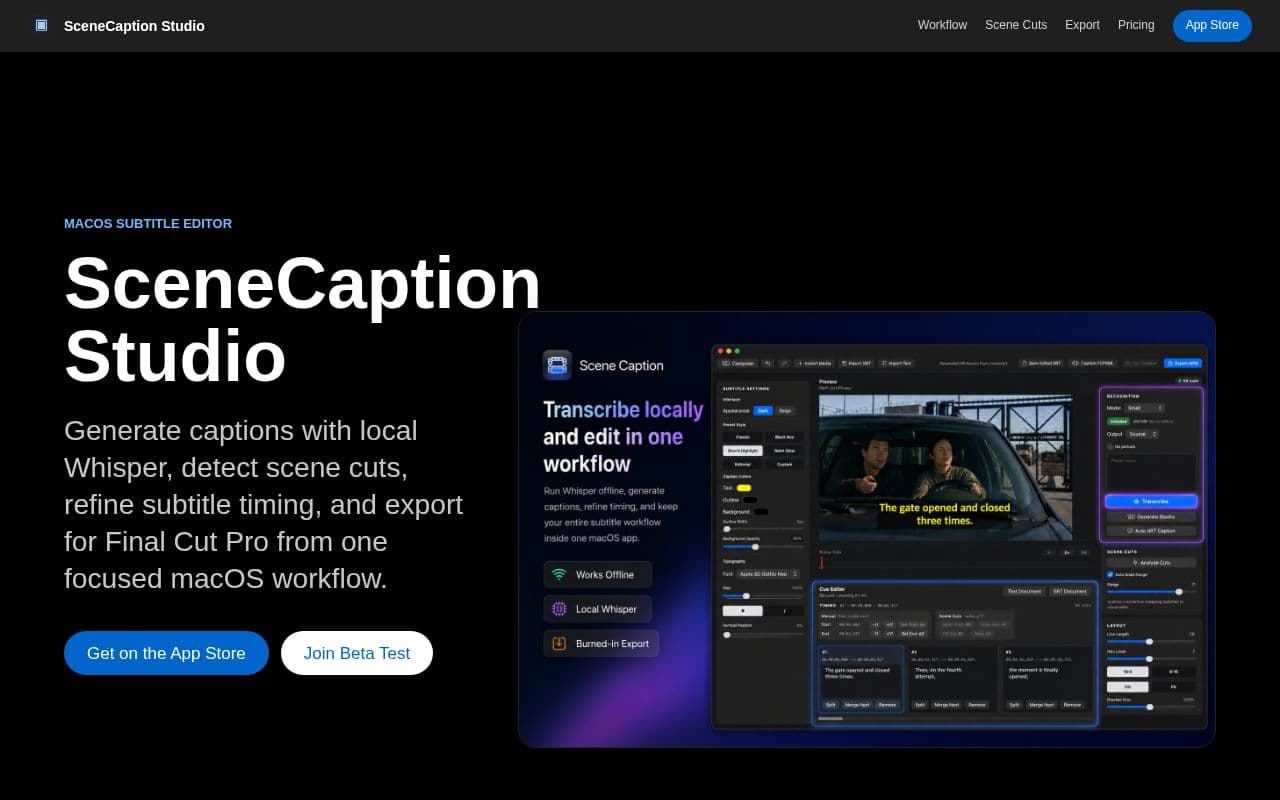
SceneCaption Studio provides a complete workflow for video editors needing accurate subtitles. It starts with local transcription of imported media, followed by conversion into editable caption blocks. The interface supports splitting, merging, and timing adjustments without leaving the application. Scene-aware features analyze visual edits in the video and allow snapping cues to those points. Keyboard shortcuts enable quick alignment, while a preview pane shows how captions will appear in the final output, including line length and positioning. Exports include burned-in MP4 files, standard SRT subtitles, and specialized XML formats compatible with Final Cut Pro. The application is offered at a one-time launch price through the Mac App Store, with a beta program available for additional testing and feedback.
Key features
Generate captions using local Whisper models
Automatic scene cut detection and analysis
Refine subtitle timing with keyboard controls
Edit transcripts in a document-style editor
Snap cues to scene cuts with auto-snap range
Preview caption style, position and aspect ratio
Export SRT, burned-in MP4, FCPXML and scene cut XML
What you can use SceneCaption Studio for
Offline Video Transcription
Generate accurate captions using local Whisper models that run entirely on-device without cloud uploads.
Scene-Aware Subtitle Alignment
Automatically detect scene cuts and snap subtitle timing to visual edits for polished results.
Final Cut Pro Workflow Integration
Refine transcripts in a document editor then export FCPXML or scene cut XML directly into professional editing projects.
How to use SceneCaption Studio
- 1Import media file into SceneCaption Studio
- 2Transcribe audio with a local Whisper model
- 3Refine text and line breaks in the document editor
- 4Compose caption blocks and adjust timing with keyboard shortcuts
- 5Analyze scene cuts and snap cues to edit points
- 6Preview caption appearance and export to SRT, MP4 or FCPXML
SceneCaption Studio pricing
Pricing model: Paid. Plan details are indicative — check the site for current prices.
Launching Price
$10.99one-time
Editor's verdict
Pros
- +Fully offline local transcription
- +Tight integration with Final Cut Pro workflows
- +Keyboard-first timing and editing controls
Cons
- –macOS only
- –One-time purchase required
- –Beta stage with limited public feedback
Our take: SceneCaption Studio is a solid video generation choice. It's valued for fully offline local transcription and tight integration with final cut pro workflows. The main trade-off is macos only. Best when you need reliable, professional output.
Frequently asked questions
Yes, the app is designed exclusively for macOS and distributed via the Apple App Store.
Summary
SceneCaption Studio is a solid video generation choice. It's valued for fully offline local transcription and tight integration with final cut pro workflows. The main trade-off is macos only. Best when you need reliable, professional output.
Did you find this helpful?
User reviews
Verified reviews from the community shape this tool's rating.
Loading reviews…
SceneCaption Studio alternatives
Similar video generation tools worth comparing.


