
Speaker Notes AI Teleprompter
Voice-activated overlay for readable PowerPoint speaker notes.
PaidProductivity
Visit website Free to browse · updated 2026-06-26
What is Speaker Notes AI Teleprompter?
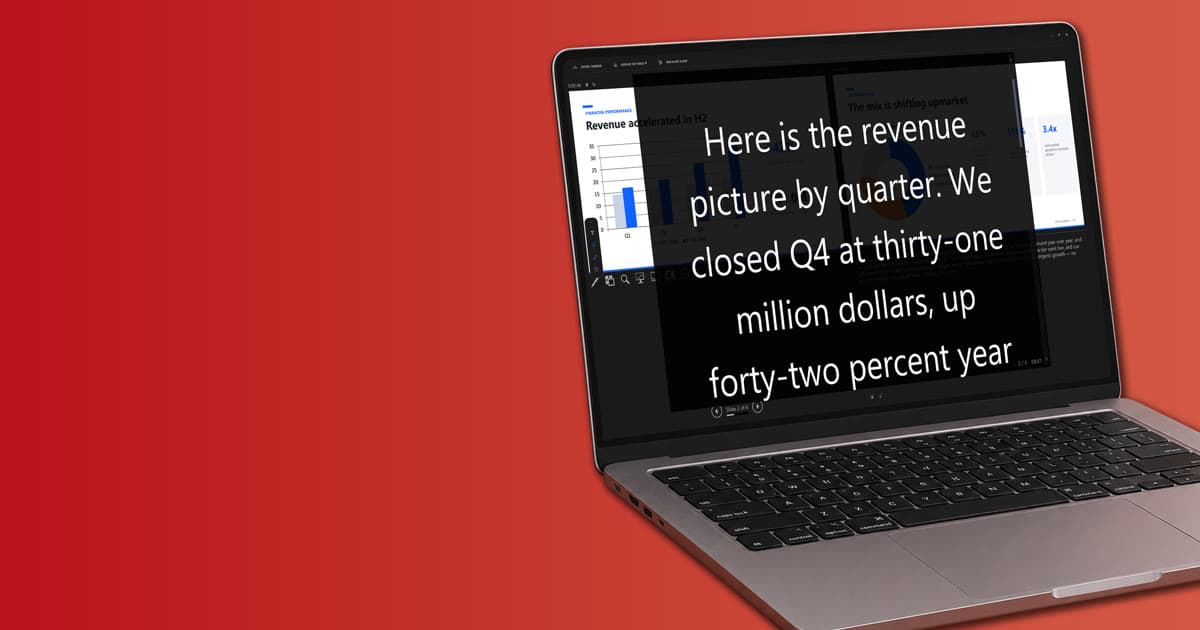
The tool converts standard presenter view notes into a prominent script visible on screen. Users can customize text appearance including size, color, and spacing to suit different viewing setups such as monitors or teleprompter hardware. Voice recognition follows spoken words to advance the script automatically while allowing manual overrides. Speech processing occurs locally on the device without transmitting audio or notes externally. It accommodates 25 languages through downloadable packs that function without internet after installation. Fixed-speed and manual scrolling options remain available even without a microphone. Designed for webinars, recordings, and live sessions, the app maintains compatibility with clickers and keyboard controls in PowerPoint. Installation occurs via the Microsoft Store on Windows 10 or 11 systems, fitting into existing presentation workflows without requiring add-ins.
Key features
Large centered teleprompter overlay for PowerPoint Presenter View notes
Voice-following auto-scroll with fully offline speech recognition
Supports 25 languages via downloadable offline packs
Adjustable font size, color, spacing and background
Mirror modes for beam-splitter teleprompter hardware
Fixed-speed and manual scroll options
Independent overlay that does not interfere with PowerPoint navigation
What you can use Speaker Notes AI Teleprompter for
Webinars and online seminars
Stay on camera while covering the right talking points during live or recorded sessions by displaying large, voice-following speaker notes.
YouTube and live streaming
Keep a script visible while explaining slides in recorded videos or live broadcasts without losing eye contact.
Online courses and lessons
Use existing PowerPoint notes as readable course prompts in the center of the screen for natural delivery.
How to use Speaker Notes AI Teleprompter
- 1Install the app from the Microsoft Store on Windows 10 or 11
- 2Open your slideshow in PowerPoint and enable Presenter View
- 3Launch Speaker Notes AI Teleprompter to display the overlay
- 4Adjust font size, colors, and spacing for readability
- 5Speak naturally so the notes auto-scroll with your voice
Speaker Notes AI Teleprompter pricing
Pricing model: Paid. Plan details are indicative — check the site for current prices.
Microsoft Store
Customone-time
- Full app access
- Updates via Store
Editor's verdict
Pros
- +Fully offline speech recognition keeps voice and notes on device
- +Maintains eye contact during webinars and recordings
- +Works with existing PowerPoint workflows without add-ins
Cons
- –Windows 10/11 64-bit and desktop PowerPoint required
- –Microphone needed for voice-following scroll
Our take: Speaker Notes AI Teleprompter is a solid productivity choice. It's valued for fully offline speech recognition keeps voice and notes on device and maintains eye contact during webinars and recordings. The main trade-off is windows 10/11 64-bit and desktop powerpoint required. Best when you need reliable, professional output.
Frequently asked questions
No, speech recognition runs entirely offline on your device after language packs are downloaded.
Summary
Speaker Notes AI Teleprompter is a solid productivity choice. It's valued for fully offline speech recognition keeps voice and notes on device and maintains eye contact during webinars and recordings. The main trade-off is windows 10/11 64-bit and desktop powerpoint required. Best when you need reliable, professional output.
Did you find this helpful?
User reviews
Verified reviews from the community shape this tool's rating.
Loading reviews…
Speaker Notes AI Teleprompter alternatives
Similar productivity tools worth comparing.


