TechDraw AI
VerifiedAI-powered platform that converts object photos into precise technical drawings.
What is TechDraw AI?
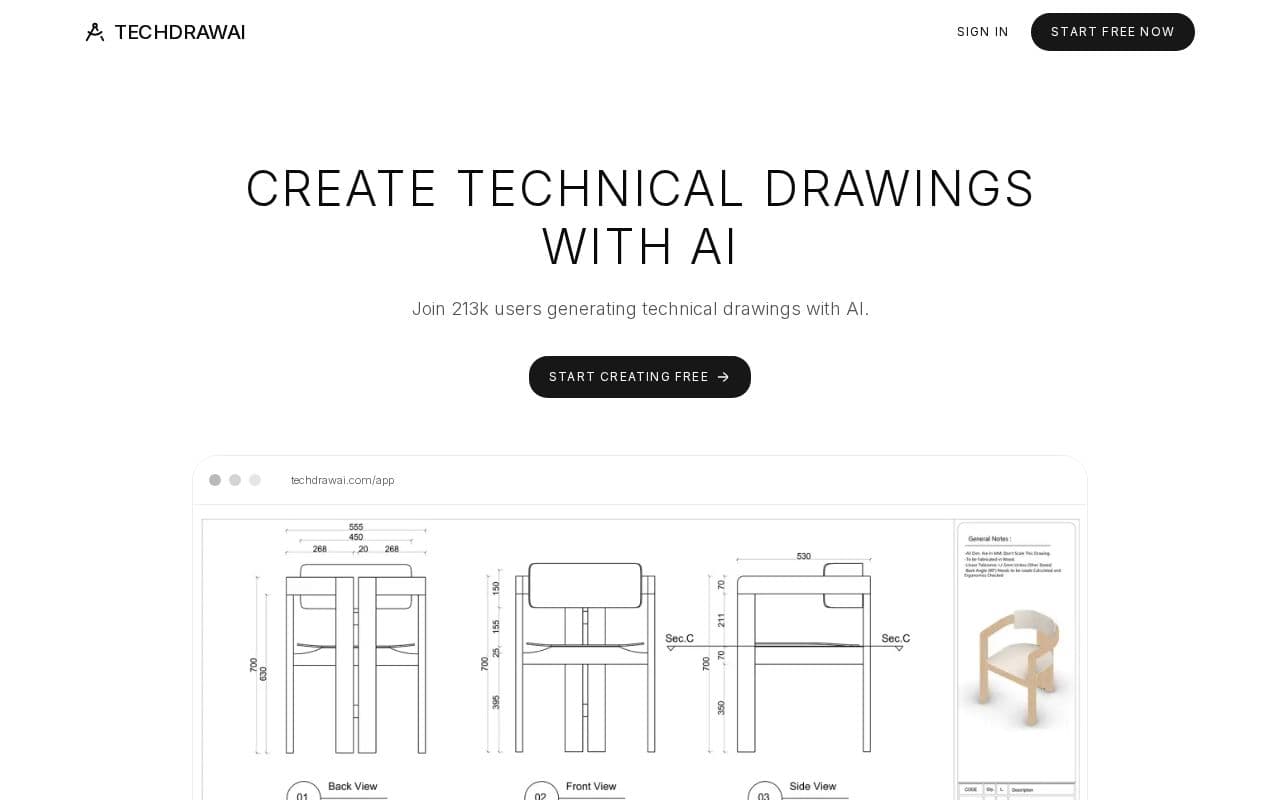
The service streamlines the creation of engineering drawings by interpreting visual input and applying accurate scaling. It supports multiple view types including orthographic projections and sections while automatically placing dimensions and annotations. Beyond basic drafting, the tool manages bills of materials and maintains consistency across views when changes occur. This approach reduces manual effort for engineers, fabricators, and workshop teams who need reliable documentation without extensive CAD training. Output files meet common industry requirements for clarity and precision, allowing direct use in production workflows or client submissions.
Key features
What you can use TechDraw AI for
Photo to Technical Drawing
Upload a photo or sketch of an object and receive clean, dimensioned, standards-compliant drawings with accurate scale and measurements.
Assembly and BOM Creation
Generate multiple views including orthographic, section, and exploded along with automatic BOM and parts lists from a single upload.
Production-Ready Documentation
Produce ISO-compliant sheets with title blocks, GD&T symbols, auto-dimensioning, and real-time synced changes for direct export to DXF.
How to use TechDraw AI
- 1Sign up at the site
- 2Upload a photo or sketch of the object
- 3Choose drawing type and set real scale, measurements, and units
- 4Generate the drawing with views, dimensions, and BOM
- 5Review real-time synced changes and export to DXF
TechDraw AI pricing
Pricing model: Freemium. Plan details are indicative — check the site for current prices.
Free
- Start creating free
- Export to DXF
- Basic prototyping use
Editor's verdict
Pros
- +Fast generation (minutes vs hours in CAD)
- +No CAD experience required
- +High accuracy and professional line quality
Cons
- –Free plan limits for scaling projects
- –Dependent on input image quality
- –Web-only with no offline access
Our take: TechDraw AI is a solid design choice. It's valued for fast generation (minutes vs hours in cad) and no cad experience required. The main trade-off is free plan limits for scaling projects. A good pick if you want capable AI without a high upfront cost.
Frequently asked questions
Yes, TechDraw AI generates technical drawings from uploaded photos or sketches with accurate dimensions and standards compliance.
Summary
TechDraw AI is a solid design choice. It's valued for fast generation (minutes vs hours in cad) and no cad experience required. The main trade-off is free plan limits for scaling projects. A good pick if you want capable AI without a high upfront cost.
User reviews
Verified reviews from the community shape this tool's rating.
Loading reviews…
TechDraw AI alternatives
Similar design tools worth comparing.


Explore & compare TechDraw AI
Data-driven comparisons, alternatives and rankings — kept current by our agents.
Featured in