
URLmotion
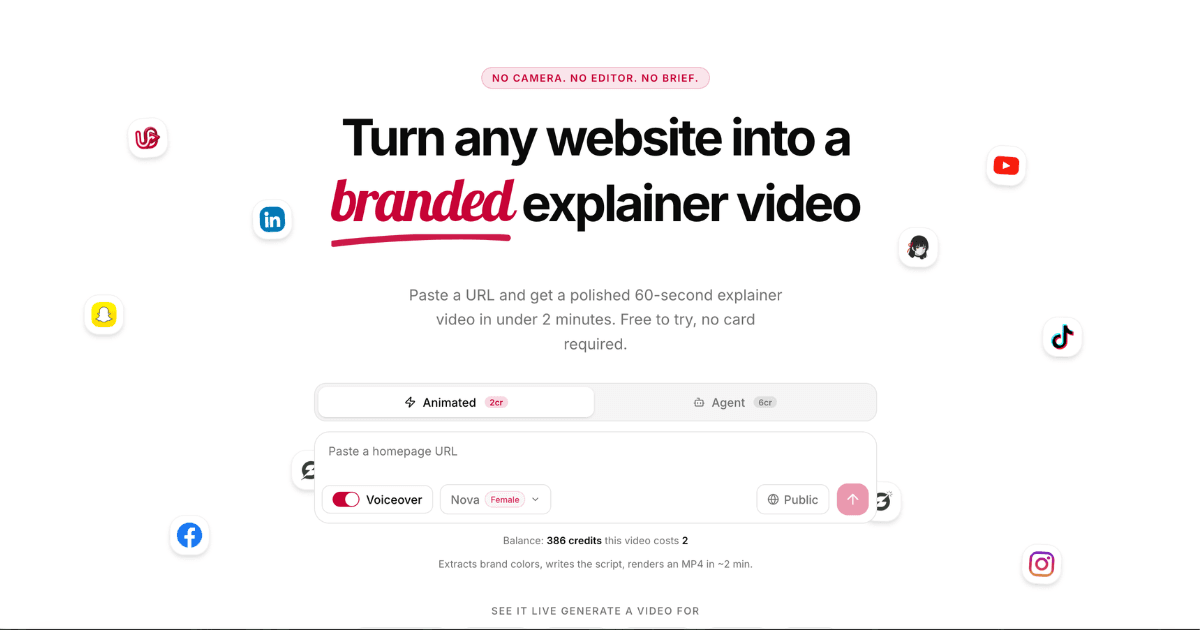
URLmotion converts any website into a polished explainer video automatically.
What is URLmotion?
URLmotion analyzes a provided website to extract brand elements and create a custom script. The system then produces an animated video complete with synchronized audio in multiple languages and accents. Users can further refine scenes through an integrated browser-based editor that supports adjustments to timing, colors, and layouts. Advanced capabilities include an agent mode for generating bespoke animations from scratch as well as options for background music, Lottie elements, and various aspect ratios. Exports are available in high resolutions along with GIF formats suitable for different distribution needs. Subscription plans range from a free tier with limited credits to higher tiers offering increased monthly allowances, priority processing, and removal of watermarks. Credits remain available across billing cycles with no long-term commitments required.
Key features
What you can use URLmotion for
Website Explainer Videos
Paste any public URL to automatically scrape content, write a script, and render a polished 60-second branded video in under 2 minutes.
Bespoke Animation Creation
Use agent mode powered by Claude to generate custom Remotion compositions with fully bespoke layouts, animations, and no templates.
Multilingual Marketing Content
Produce videos with human-quality voiceovers in 8 languages including English, Spanish, French, German, Portuguese, Japanese, Chinese, and Korean.
How to use URLmotion
- 1Sign in at urlmotion.com
- 2Paste a public website URL
- 3Select style, aspect ratio, or enable agent mode
- 4Review and edit scenes in the browser
- 5Generate and export the MP4 or GIF
URLmotion pricing
Pricing model: Freemium. Plan details are indicative — check the site for current prices.
Free
- 5 lifetime video credits
- Animated style only
- Watermarked exports
- 720p export
Starter
Popular- 20 video credits / month
- 500K agent tokens / month
- Animated + AI agent videos
- No watermark
- 1080p + 1440p export
- GIF export
- Sound effects
- Unused credits carry over
Pro
- 60 video credits / month
- 2M agent tokens / month
- Animated + AI agent videos
- No watermark
- 1080p + 1440p export
- GIF export
- Sound effects
- Unused credits carry over
- Priority render queue
Agency
- 200 video credits / month
- 8M agent tokens / month
- Animated + AI agent videos
- No watermark
- 1080p + 1440p export
- GIF export
- Sound effects
- Unused credits carry over
- Priority render queue
Editor's verdict
Pros
- +Fast automated generation with no editor or crew required
- +Credits never expire with flexible monthly plans
- +High-quality exports and multiple customization options
Cons
- –Free plan limited to 5 lifetime credits and watermarked 720p exports
- –Requires public URLs only
- –Subscription-based for full access and higher limits
Our take: URLmotion is a solid video generation choice. It's valued for fast automated generation with no editor or crew required and credits never expire with flexible monthly plans. The main trade-off is free plan limited to 5 lifetime credits and watermarked 720p exports. A good pick if you want capable AI without a high upfront cost.
Frequently asked questions
URLmotion renders a complete explainer video in approximately 2 minutes after pasting a URL.
Summary
URLmotion is a solid video generation choice. It's valued for fast automated generation with no editor or crew required and credits never expire with flexible monthly plans. The main trade-off is free plan limited to 5 lifetime credits and watermarked 720p exports. A good pick if you want capable AI without a high upfront cost.
User reviews
Verified reviews from the community shape this tool's rating.
Loading reviews…
URLmotion alternatives
Similar video generation tools worth comparing.


Explore & compare URLmotion
Data-driven comparisons, alternatives and rankings — kept current by our agents.