
Visit website Free to browse · updated 2026-06-25
What is Doc Suite?
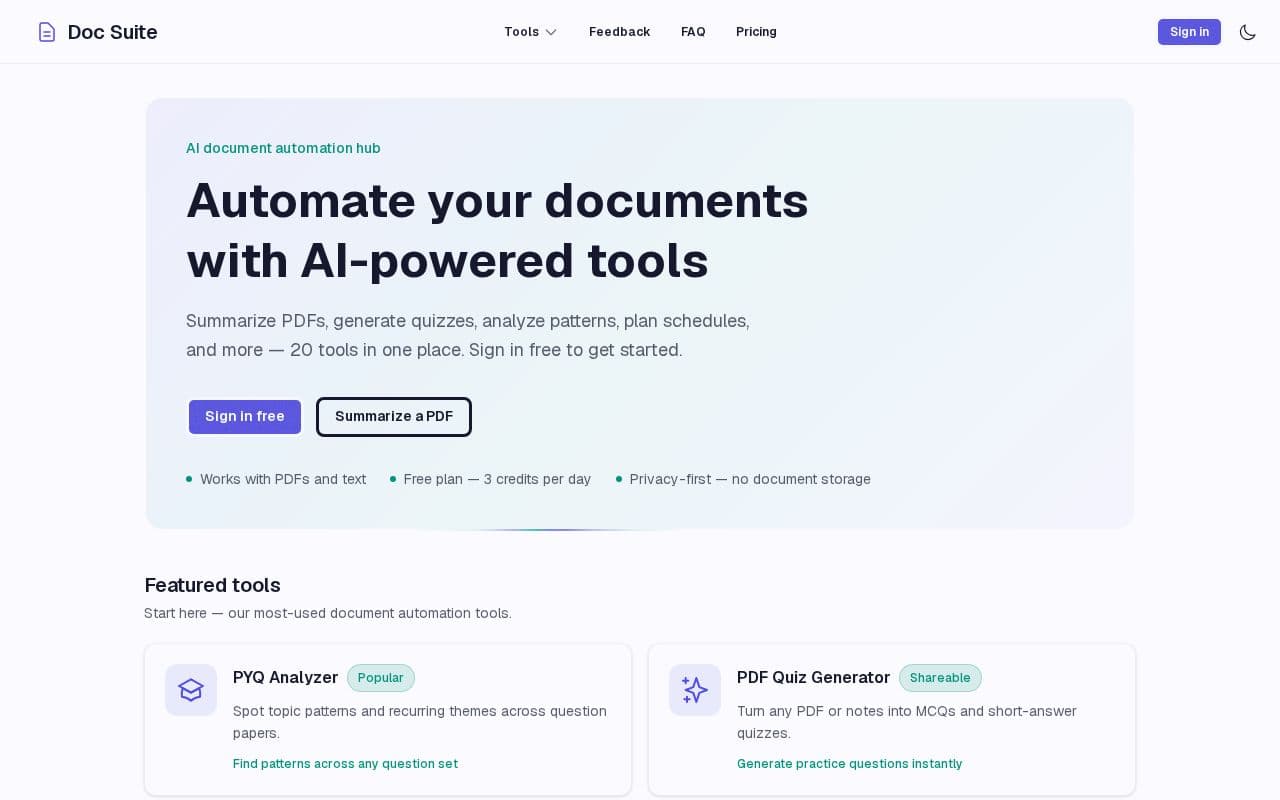
Users can access a range of productivity features grouped into categories such as summarization, note cleaning, research assistance, and exam planning. Tools include options for creating mind maps, extracting meeting items, generating citations, and comparing document versions. The platform operates as a small side project with no paid tiers currently available. It emphasizes privacy through temporary processing only and encourages feedback via email for potential future improvements. Additional utilities cover bulk renaming, OCR corrections, and redaction to support varied document needs across academic and professional contexts.
Key features
Summarize PDFs with key points and flashcards
Generate quizzes from PDFs or notes
Analyze patterns in previous year question papers
Build day-by-day exam revision schedules
Chat with PDF content for questions and answers
Convert PDF content to structured JSON
Extract actionable items from meeting notes
What you can use Doc Suite for
Exam Preparation
Students can analyze patterns in previous year question papers, generate quizzes from PDFs or notes, and build day-by-day revision schedules based on deadlines and available hours.
Document Summarization
Users upload PDFs to receive summaries with key points and flashcards, or chat directly with the PDF content to ask questions and receive answers.
Meeting and Notes Processing
Extract actionable items from meeting notes, clean and structure lecture notes, or convert PDF content into structured JSON for further use.
How to use Doc Suite
- 1Sign in free at the Doc Suite website
- 2Select a tool from the featured or categorized list
- 3Upload a PDF or provide text input
- 4Review the AI-generated output such as summaries or schedules
- 5Download or share the results as needed
Doc Suite pricing
Pricing model: Free. Plan details are indicative — check the site for current prices.
Free
Free
- All 20 tools
- 3 credits per day
- Privacy-first processing
Editor's verdict
Pros
- +Free plan with 3 credits per day
- +Privacy-first with no document storage
- +20 tools available in one hub
Cons
- –Limited to 3 credits per day
- –No paid plans available currently
Our take: Doc Suite is a solid productivity choice. It's valued for free plan with 3 credits per day and privacy-first with no document storage. The main trade-off is limited to 3 credits per day. A good pick if you want capable AI without a high upfront cost.
Frequently asked questions
Yes, it offers a free plan with 3 credits per day across all 20 tools and no paid plans currently available.
Summary
Doc Suite is a solid productivity choice. It's valued for free plan with 3 credits per day and privacy-first with no document storage. The main trade-off is limited to 3 credits per day. A good pick if you want capable AI without a high upfront cost.
Did you find this helpful?
User reviews
Verified reviews from the community shape this tool's rating.
Loading reviews…
Doc Suite alternatives
Similar productivity tools worth comparing.


